AllSubConverter
In-depth reviewAllSubConverter is a privacy-first subtitle processing workspace. It offers 117+ tools to convert, edit, sync, translate, clean, and export subtitles across 11 core formats. Standard tools process files directly in your browser, catering to subtitle creators, translators, and developers.
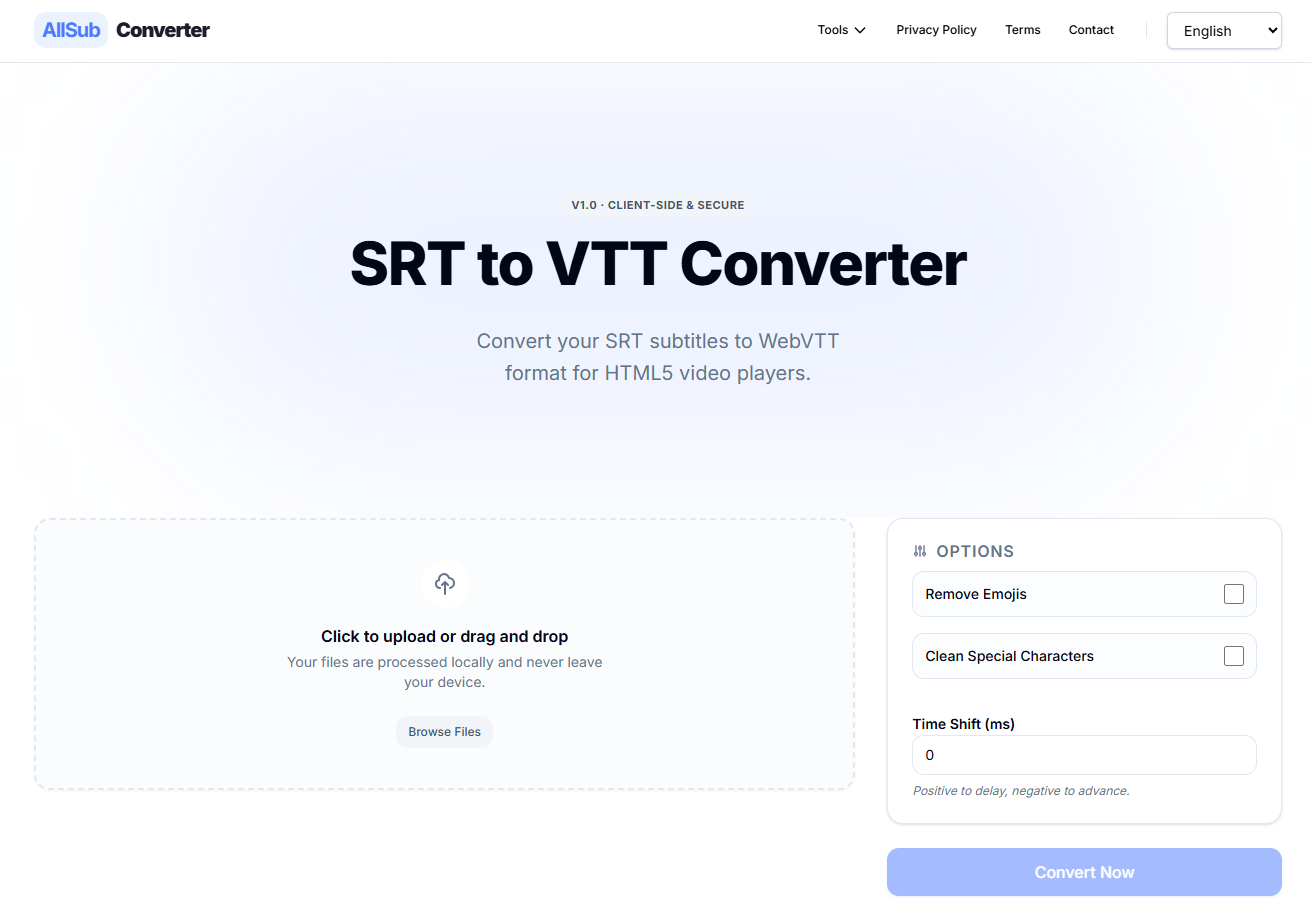
AllSubConverter, as it opens in a browser tab.
Not sure how to add AllSubConverter to your home screen? Step-by-step for Chrome, Safari, Firefox and Edge — it takes about ten seconds, and there is no app store involved.
Own AllSubConverter? Have us re-run this measurement — we open it in a real browser, cut the network, and send you what survived.
How to install AllSubConverter as a PWA
Screenshots
Why we recommend AllSubConverter
AllSubConverter stands out for its extensive suite of 117+ subtitle tools, including conversion, editing, syncing, translation, and cleaning across 11 core formats and YouTube JSON3. A key differentiator is its 'privacy-first' approach, where standard tools process files directly in the user's browser, ensuring no file uploads and enhanced data privacy. This local processing also contributes to faster performance by leveraging device computing power. It supports a wide array of formats like SRT, VTT, ASS, and TTML, offering over 40 conversion routes. The workflow is designed for efficiency, allowing users to upload a file once and chain multiple tools, carrying the file through each step seamlessly.
Best use cases
Best for: Subtitle creators and translators needing to convert formats, synchronize timings, or clean up text. Developers working with subtitle files for various platforms. Language learners who wish to translate or annotate subtitles. Anyone requiring robust subtitle manipulation without compromising file privacy, thanks to its local processing capabilities for standard tools.
Honest limitations
While many tools work locally, the service worker evidence is false, meaning full offline functionality cannot be guaranteed. The landing page mentions 'Get Pro' and 'Pricing,' indicating that some advanced features or unlimited usage may require a paid subscription. AI tools specifically send cue text to chosen providers, which might be a consideration for those seeking absolute local-only processing for all functions. It is not designed for general video editing beyond subtitle manipulation.
Are you the maker of AllSubConverter? Claim this listing →
Similar to AllSubConverter

A progressive web app that runs FFmpeg in the browser through ffmpeg.wasm, giving you a command-line style interface for editing and converting video. Processing is 100% local, so no data leaves your browser. Best for users already comfortable with FFmpeg commands.

Open-source file conversion with the processing done on your device — images, audio and documents convert locally via WebAssembly with no size limits, no ads and no tracking; only heavy video jobs use a server. Ships a standalone PWA manifest with a full icon set, installing as a genuinely private converter app.
Budget Pro is a Progressive Web App for estimating text-based projects such as translation, copywriting, proofreading, and copy editing. Calculate costs based on word or page counts, rates, and project details.
A free, open-source watermark remover for AI-generated images and short videos, targeting marks left by tools like Gemini, DALL-E, Midjourney, and Firefly. The removal model runs entirely in your browser, so nothing is uploaded and no account is needed, and it works offline.

A quick, distraction-free notepad that runs in the browser and keeps working offline, powered by a service worker. It aims to be a lightweight scratchpad for jotting down text without the weight of a full note-taking suite like Evernote or Notion.
ImgMin is a free, privacy-focused online tool for compressing JPG, PNG, and WebP images. It performs all processing directly in your browser, ensuring no uploads and enhanced security. Reduce file sizes by up to 80% with adjustable quality settings and batch processing.
Own a PWA? See the listing options — standard submission is free.