CountMyDays
In-depth reviewCountMyDays is a minimalist, ad-free PWA for tracking countdowns to future events and counting up from past milestones. It features visual progress bars, calendar integrations, and optional cloud synchronization, designed for individuals seeking a straightforward time-tracking solution.
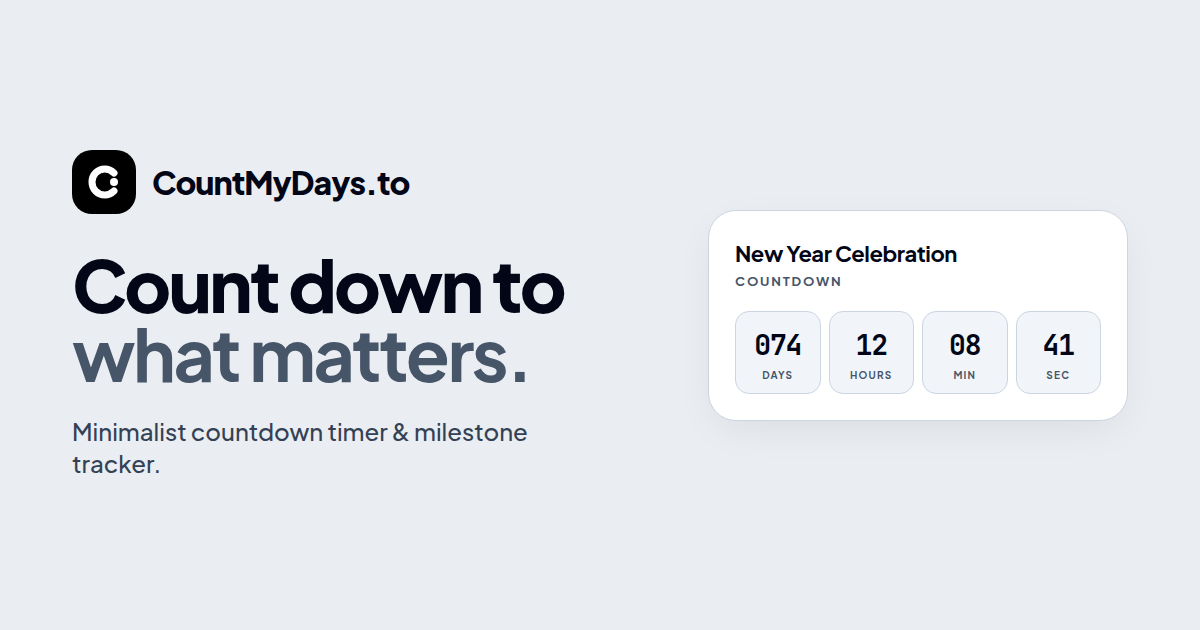
CountMyDays, as it opens in a browser tab.
Not sure how to add CountMyDays to your home screen? Step-by-step for Chrome, Safari, Firefox and Edge — it takes about ten seconds, and there is no app store involved.
Own CountMyDays? Have us re-run this measurement — we open it in a real browser, wait for the service worker, and send you what it cached.
How to install CountMyDays as a PWA
Screenshots
Why we recommend CountMyDays
CountMyDays stands out as a high-performance, distraction-free countdown timer and milestone tracker. It offers dual tracking modes for counting down until future dates or up since past milestones, with sub-second precision and real-time millisecond toggles. Users can integrate with Google Calendar or download .ics files for Apple/Outlook. The app provides 100% free access with zero ads or paywalls, supporting optional passwordless cloud sync across devices. Unique features include a visual animated milestone progress bar, personal reflections notepad with search, and data sovereignty via Base64 backup codes and downloadable archives.
Best use cases
Best for: individuals tracking personal deadlines like birthdays, vacations, or exams, as well as significant life events such as wedding anniversaries or sobriety dates. It's also ideal for those needing to monitor project timelines with visual progress bars or present countdowns in fullscreen mode for conferences. Users who prioritize privacy and ad-free experiences will find its free guest mode and optional cloud sync beneficial.
Honest limitations
While CountMyDays offers robust features for personal time tracking, it is not designed for complex project management involving team collaboration or extensive task dependencies. It lacks advanced features like recurring task scheduling beyond duplication, or integrations with project management software. The app focuses specifically on countdowns and countups, rather than serving as a full-fledged calendar replacement or reminder system.
Are you the maker of CountMyDays? Claim this listing →
Similar to CountMyDays

UsefulBasis offers a collection of free, browser-based tools for various everyday tasks. It provides utilities like an image compressor, word counter, and loan calculator, all accessible without signup or installation. Files for certain tools like the image compressor are processed locally, ensuring privacy.

Yearcle is a family budget app designed for annual planning rather than monthly tracking. It visualizes your finances through a 12-segment circle representing each month, with automatic savings categories for expenses. The app supports installment payments, cloud synchronization, and works across web, iOS, and Android platforms. Available in Italian and English, it aims to help families plan their entire year at a glance.
A Progressive Web App for creating and managing reusable social media post templates stored in the cloud. Users can draft template posts once and keep them synced across sessions, which helps social media managers and creators who repeatedly publish similar content across their accounts.

A flexible online Pomodoro Technique timer that breaks work into intervals, traditionally 25 minutes long, separated by short breaks. Students, remote workers, and anyone prone to distraction can use it to structure focused work sessions directly in the browser without installing a dedicated timer app.
A Pomodoro timer delivered as a progressive web app and built with React. It helps users structure work into timed focus sessions followed by short breaks, following the Pomodoro Technique. Suited to students and knowledge workers who want a simple browser-based timer they can install like an app.
Telegram's official browser client — full chats, groups, channels, stickers and media sync instantly with your phone, no desktop download needed. Both the A and K versions ship standalone PWA manifests, making Telegram one of the cleanest messaging apps to install straight from the browser.
Own a PWA? See the listing options — standard submission is free.