DeckDeckGo
In-depth reviewThe open-source web editor for slide decks — create, present, and share presentations from the browser, with live audience interaction. The project is now archived: the hosted editor is offline, but the code remains open source and self-hostable.
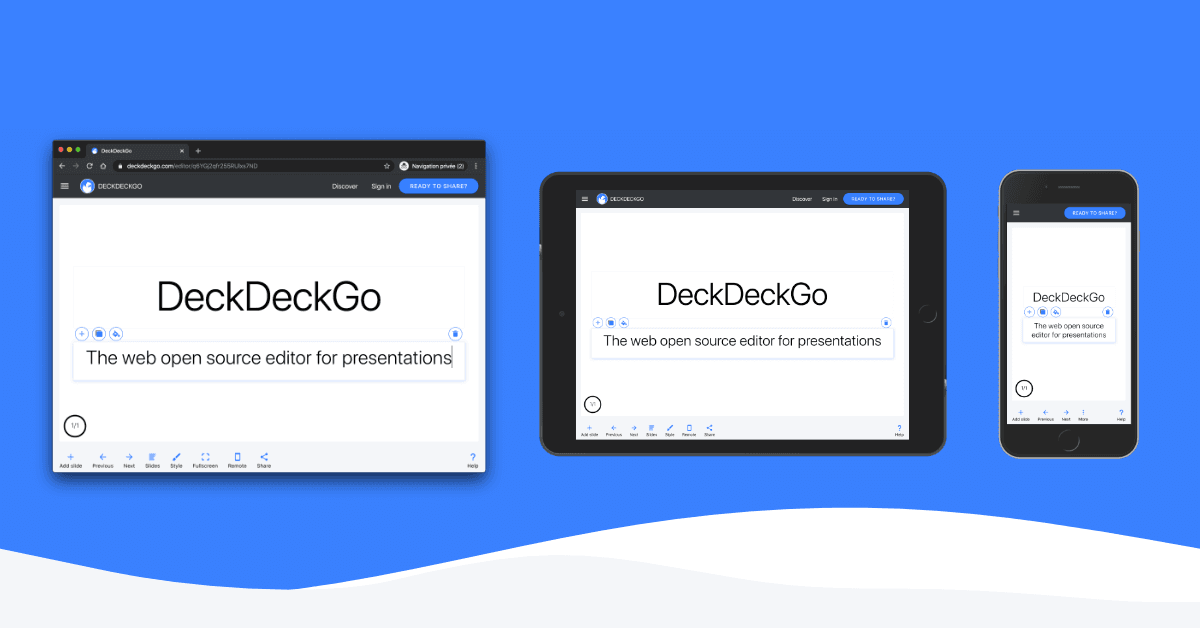
DeckDeckGo, as it opens in a browser tab.
Not sure how to add DeckDeckGo to your home screen? Step-by-step for Chrome, Safari, Firefox and Edge — it takes about ten seconds, and there is no app store involved.
Own DeckDeckGo? Have us re-run this measurement — we open it in a real browser, cut the network, and send you what survived.
How to install DeckDeckGo as a PWA
Screenshots
Why we recommend DeckDeckGo
DeckDeckGo deserves its place in PWA history: it was one of the most complete demonstrations that a real creative tool — a full presentation editor with templates, remote control from your phone, and live audience polls — could ship as an installable Progressive Web App. If you're searching for it today, here's the honest status: the project is archived on GitHub (the deckgo/deckdeckgo repository, 1,600+ stars, stopped active development), and the hosted editor at app.deckdeckgo.com no longer responds. The marketing site still stands, which is why search results keep pointing here. What survives is the code: everything — editor, presentation kit, remote control — is open source under permissive licenses, so a motivated team can still self-host or salvage its Web Components for their own slide tooling. As a ready-to-use product, though, it's gone.
Best use cases
Today DeckDeckGo is useful in exactly two cases: developers who want to study or reuse a well-architected StencilJS/Web-Components codebase for browser-based presentations, and teams willing to self-host an open-source deck editor and maintain it themselves. If you just want to make slides in the browser right now, use a maintained tool instead: Google Slides or Canva for general use, reveal.js or Slidev if you like the code-your-slides approach that made DeckDeckGo special.
Honest limitations
Not usable as a hosted product anymore — the online editor is down and accounts, cloud decks and publishing are gone with it. Self-hosting means adopting an archived codebase: no security patches, no bug fixes, dependencies aging. Decks published on the old deckdeckgo.com infrastructure are no longer reachable, and there is no export path left for them.
Are you the maker of DeckDeckGo? Claim this listing →
Similar to DeckDeckGo

Google's collaborative presentation editor in the browser — real-time co-editing, comments, version history and Drive storage, free with any Google account. Works offline once Drive offline mode is enabled, and installs as an app from Chrome.

Modern presentation software for teams — fast browser editor, beautiful templates, live collaboration, analytics on shared decks, and video embeds. The polished option when a deck has to impress investors or clients.

The hosted editor built on reveal.js — browser presentations with full HTML/CSS control, developer mode, and live present-from-anywhere. The closest spiritual successor to DeckDeckGo for people who liked code-flavoured decks.
The most popular browser design studio — presentations, social posts, docs and video in one editor, with thousands of templates and real-time collaboration. Installs as a PWA and covers the everyday deck-making DeckDeckGo used to.

LivePoll allows users to create free live polls in seconds, facilitating instant feedback from an audience. Share a QR code for easy voting via phone, then watch results update live. Designed for classrooms, meetings, conferences, and social events, it supports unlimited voters without requiring sign-up or apps.

Open-source spreadsheet-database hybrid — like Airtable but self-hostable and free. Build relational tables with formulas, linked records, and custom views without monthly fees. Access rules run per row and per column, which is what usually forces teams off a plain spreadsheet.
Own a PWA? See the listing options — standard submission is free.