FixMint
In-depth reviewFixMint offers a collection of free, instant browser tools to solve common problems with photos, PDFs, audio, video, and various file types. It provides solutions for tasks such as image compression, background removal, and PDF merging directly within the browser.

FixMint, as it opens in a browser tab.
Not sure how to add FixMint to your home screen? Step-by-step for Chrome, Safari, Firefox and Edge — it takes about ten seconds, and there is no app store involved.
Own FixMint? Have us re-run this measurement — we open it in a real browser, wait for the service worker, and send you what it cached.
How to install FixMint as a PWA
Screenshots
2 images · scroll →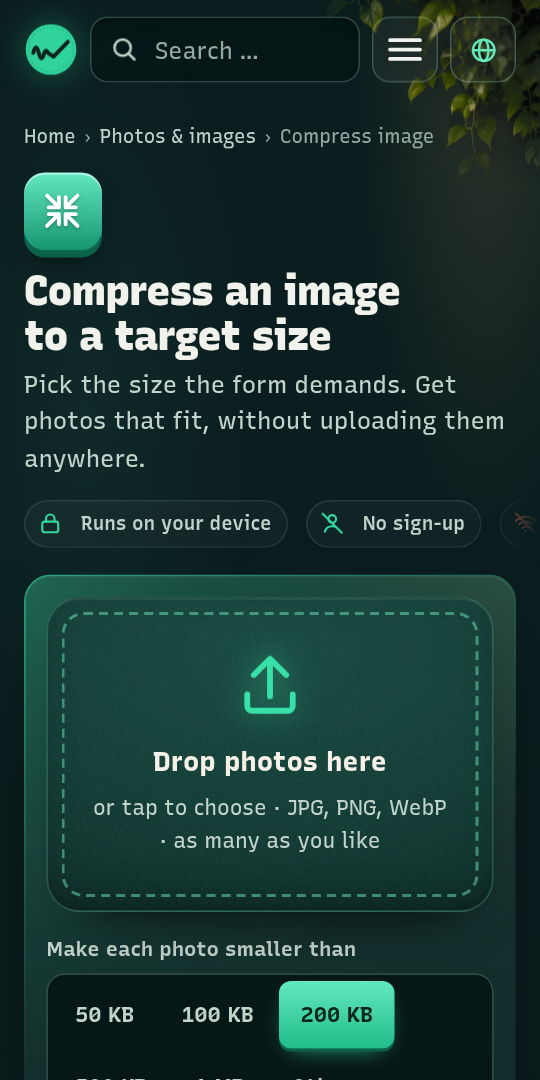
Why we recommend FixMint
FixMint stands out for its comprehensive collection of single-purpose browser tools designed for everyday problem-solving across various media. With 166 free tools, it offers solutions for common frustrations like oversized photos, background removal from images, merging multiple PDFs into one, and cutting silence from audio. The platform is built for privacy, emphasizing 'no uploads and no sign-up' for its operations. Its 'standalone' display mode and categorized shortcuts for actions like 'Compress image' and 'Remove background' streamline user experience, making it a highly accessible and efficient suite for quick digital fixes.
Best use cases
Best for: Users needing quick, in-browser solutions for image and PDF manipulation, such as compressing photos for upload limits, converting HEIC to JPG, or combining PDF documents. It's also ideal for individuals who require immediate, no-signup tools for minor edits to audio, video, text, spreadsheets, and other files without downloading dedicated software.
Honest limitations
While FixMint is excellent for quick fixes, it is not designed for advanced, professional-grade media editing or complex data analysis. Users seeking extensive feature sets for graphic design, video production, or comprehensive office suite functionalities should look elsewhere. Its focus is on single-purpose, instant solutions rather than deep, multi-layered modifications. There is no evidence of offline support, so an active internet connection is likely required for use.
Are you the maker of FixMint? Claim this listing →
Is FixMint yours? Add the “Listed on” badge
Optional, and it changes nothing about the listing. Paste it in your README or your site’s footer.

[](https://pwa.directory/directory/fixmint)
<a href="https://pwa.directory/directory/fixmint"><img src="https://pwa.directory/badge.svg" alt="Listed on pwa.directory" width="167" height="20"></a>
Similar to FixMint

UsefulBasis offers a collection of free, browser-based tools for various everyday tasks. It provides utilities like an image compressor, word counter, and loan calculator, all accessible without signup or installation. Files for certain tools like the image compressor are processed locally, ensuring privacy.

ToolVero offers a collection of free, privacy-first browser-based tools for PDF, image, and text tasks. It provides utilities like PDF merging, image compression, text manipulation, and basic calculators, with a focus on client-side processing where practical. No account is required for core tools.

FileTools Kit provides in-browser tools for merging and splitting PDFs, converting images, and generating resume PDFs. Files remain in your browser tab, ensuring privacy. It offers a suite of utilities including QR code generation, SVG conversion, and hash calculations.

Quick Image Converter is a professional online tool for converting images between over 15 formats like JPG, PNG, WebP, HEIC, and AVIF. It offers batch processing, compression, and quality control, supporting quick conversion and download without registration. Optimized for various browsers and devices, it provides a fast and free solution for image transformation.

Fusion Office offers a free workspace with 75 online tools for editing, converting, compressing, merging, splitting, signing, and protecting PDFs. It also provides tools for Word, Excel, and PowerPoint files, alongside image resizing and compression. Many tools run directly in your browser, ensuring files remain on your device without requiring sign-up.

A text utility for counting words and characters, converting between uppercase and lowercase, removing extra spaces, copying results to the clipboard, and estimating reading time. Useful for writers, students, and editors who need quick text statistics in the browser.
You built it. Let’s get it found.
Submit it to the directory and reach developers and users looking for exactly this.
Standard submission is free →