TableConvert
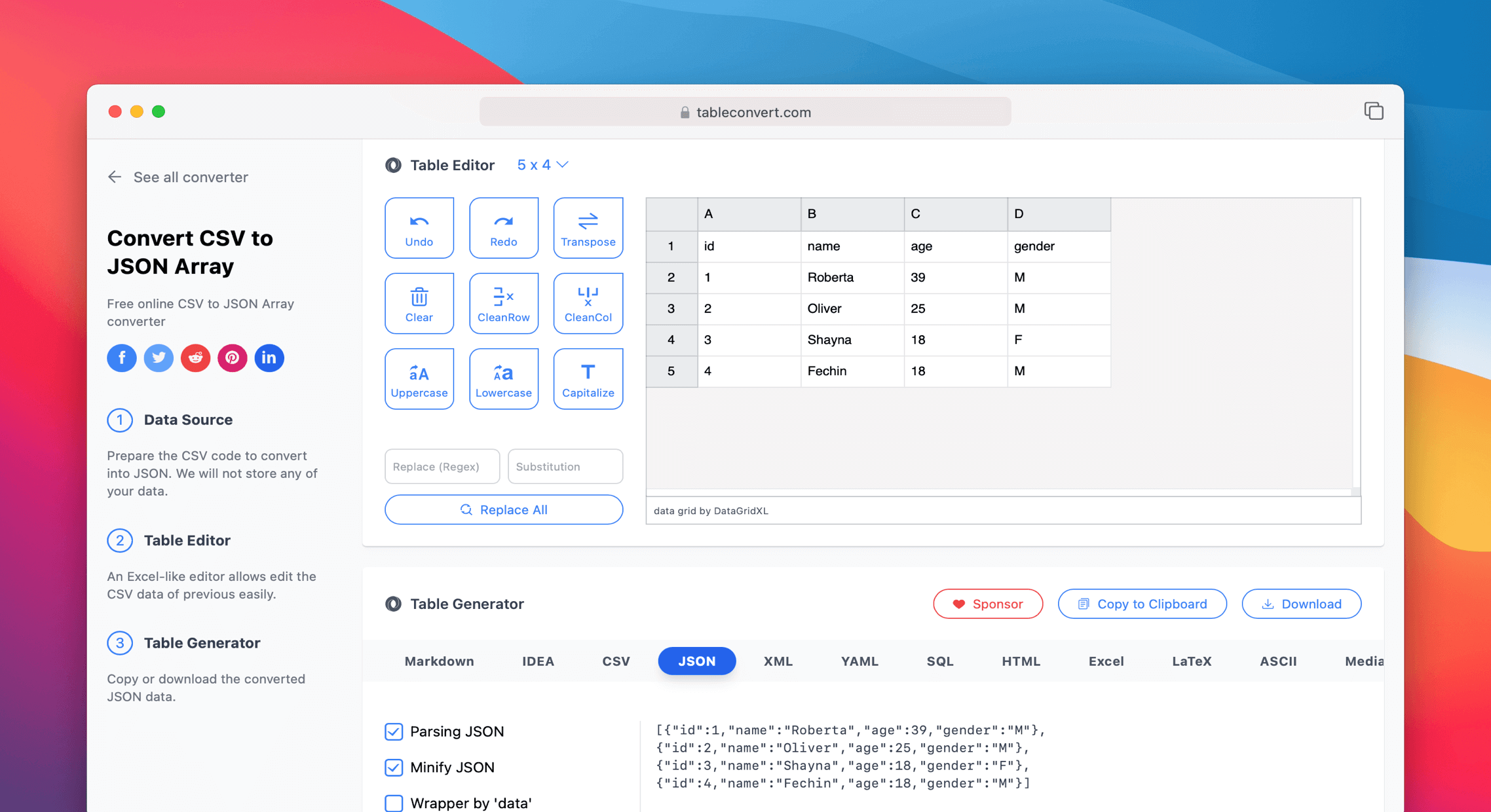
FreeConvert data between formats: JSON, CSV, Excel, Markdown tables, SQL INSERT statements, HTML tables. Paste data and get the output instantly. Essential for data wrangling.
How to install TableConvert as a PWA
Frequently asked questions about TableConvert
What makes TableConvert different from Excel or LibreOffice?
Excel and LibreOffice handle CSV, TSV, XLSX and a few other formats but cannot output SQL INSERT statements, Markdown tables, LaTeX tabular environments, JIRA wiki syntax or AsciiDoc. TableConvert is the bridge between spreadsheets and the dozens of textual table formats developers and writers use. It is the fastest way to turn an Excel range into a Markdown table for a README, or a CSV into 100 SQL INSERT lines for a one-off database seed. For pure spreadsheet workflows Excel remains stronger; for cross-format conversion TableConvert is the right tool.
Is TableConvert free?
Yes — the free tier with non-intrusive ads is fully functional for all conversion formats. The Pro tier ($4.99/month) removes ads and adds priority support. There is no per-conversion limit or row cap on the free tier (unlike some competitors that cap free use at 1000 rows). The pricing is positioned for daily users who get annoyed by ads, not as a feature paywall.
How does TableConvert compare to ConvertCSV.com or csvkit?
ConvertCSV.com is a similar in-browser tool with overlapping format support; choice between the two is mostly UI preference. csvkit is a command-line Python tool (csvcut, csvjoin, csvsql) that is far more powerful for batch / scripted workflows but requires CLI competence. Use csvkit for repeatable / scriptable conversions; use TableConvert when you have a one-off table to convert and do not want to leave the browser.
Can TableConvert work offline?
The PWA install caches the conversion engine, so the most common conversions (CSV ↔ JSON ↔ Markdown) work fully offline. Some specialized formats may require a server fetch on first conversion. All conversion happens client-side — your data is never uploaded — which means TableConvert is safe to use on confidential business data (compliance, customer lists, etc.) where uploading to a third-party server would be a problem.
Who uses TableConvert in production?
TableConvert is used daily by developers (CSV-to-SQL seed data, JSON-to-table for API documentation, JSON ↔ Markdown for READMEs), technical writers (turning Excel data into clean Markdown tables for documentation), JIRA/Confluence admins (converting between wiki-table syntaxes), and academic writers (CSV / Excel into LaTeX tabular environments). It is one of the developer-utility sites that lives in the 'open tab forever' category alongside JSONLint and Regex101.
Where TableConvert is heading (12-24 months)
- →A JSON-to-multiple-related-tables mode (flatten nested objects across linked tables) would close a gap that ConvertCSV does not address.
- →Direct paste-from-spreadsheet (with style preservation) would speed the Excel-to-Markdown workflow.
- →An open API tier (free for low volume) would unlock CI / automated documentation workflows.
Related questions
ChatGPT, Perplexity and Gemini usually suggest these next.
- Can TableConvert handle nested JSON?
- Does TableConvert auto-detect column types?
- How large a table can TableConvert handle in the browser?
- Can TableConvert generate CREATE TABLE statements?
- Is there a TableConvert CLI?
More in Utilities
Share files up to 10GB with end-to-end encryption. Files are never stored permanently — they vanish after download or 24 hours. No account, no tracking. Faster than WeTransfer.
Open-source password manager — the best LastPass alternative. End-to-end encrypted vault, browser extension, cross-device sync. Free for personal use, self-hostable.
Check if a food product is vegan by scanning its barcode or searching by ingredient. Open-source, offline-capable. Built for people who want to verify product contents quickly.
Convert between 500+ file formats in your browser. Documents, images, audio, video, ebooks — fast client-side conversion that doesn't upload your files to a server.
Scan QR codes and barcodes using your device camera. Works offline, no app download needed. Faster than downloading a native app — just open in browser and scan.
Create QR codes for URLs, text, Wi-Fi, contacts, and more. Customize colors and download as SVG or PNG. No account, fully client-side, instant generation.