Ambient Mixer
Create custom ambient soundscapes by mixing rain, fire, wind, cafe noise, and hundreds of other sounds. Set the perfect background audio for focus, sleep, or relaxation.
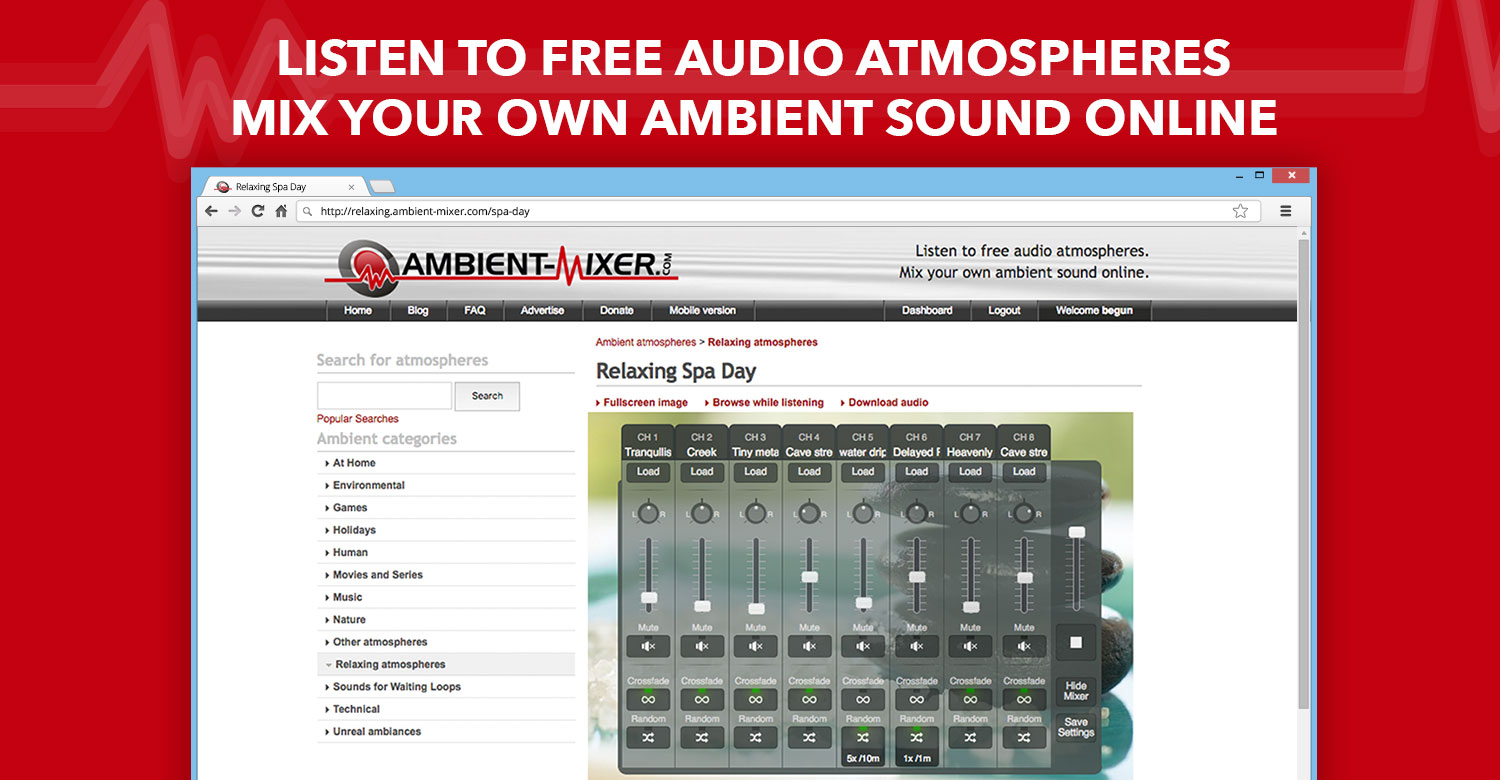
Ambient Mixer, as it opens in a browser tab.
Not sure how to add Ambient Mixer to your home screen? Step-by-step for Chrome, Safari, Firefox and Edge — it takes about ten seconds, and there is no app store involved.
Own Ambient Mixer? Have us re-run this measurement — we open it in a real browser, cut the network, and send you what survived.
How to install Ambient Mixer as a PWA
Screenshots
Are you the maker of Ambient Mixer? Claim this listing →
Similar to Ambient Mixer
Lofi music streams with customizable animated environments. Study/work music with atmospheric visuals — rain, cafe, forest. Pure browser experience, no app download needed. Each stream is a continuous mix rather than a playlist, so nothing interrupts a working session between tracks.
Brainwavest provides 777 unique neuro-acoustic sessions designed for focus, sleep, calm, and creativity. Sessions are generated live on your device, avoiding streaming or loops, offering an evolving soundscape. Users can choose from various states and customize duration and listening preferences. Three complete sessions are available for free, with no credit card required.

Distraction-free Pomodoro timer that lives in your browser. Customizable work/break intervals, offline-capable, installs as a PWA. No sign-up, no upsells. The timer keeps counting in a background tab, so switching windows does not silently reset the session.
A digital wellbeing tool for breaking the doomscrolling habit. Users create home screen shortcuts that intercept trips to social media apps, inserting a mindful pause and science-based friction before the feed opens. Aimed at anyone trying to reclaim focus and reduce compulsive scrolling on their phone.

A flexible online Pomodoro Technique timer that breaks work into intervals, traditionally 25 minutes long, separated by short breaks. Students, remote workers, and anyone prone to distraction can use it to structure focused work sessions directly in the browser without installing a dedicated timer app.

Retro-styled lo-fi music player with a nostalgic 80s Mac interface and matching music. A vibe station for summer productivity. One of the most aesthetically distinct PWAs out there.
Own a PWA? See the listing options — standard submission is free.