ConvertOP
In-depth reviewConvertOP is a universal file converter for images, PDFs, audio, and more. It is a free tool that operates entirely within your browser, designed for fast file format conversions without needing software downloads. Users can convert various file types with ease.
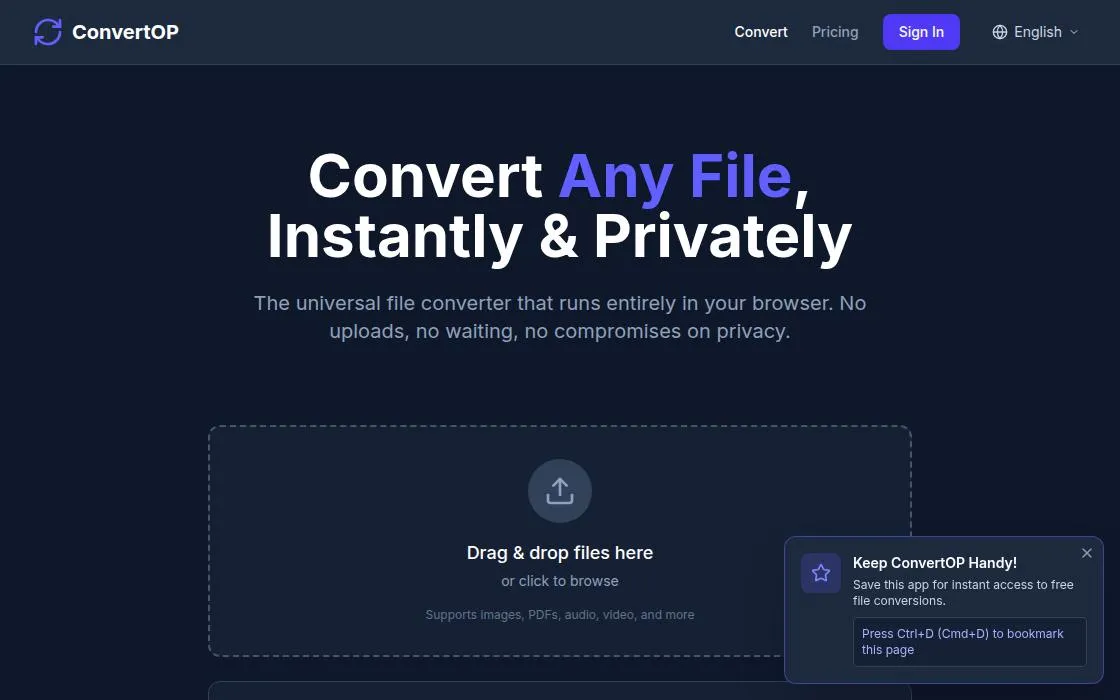
ConvertOP, as it opens in a browser tab.
Not sure how to add ConvertOP to your home screen? Step-by-step for Chrome, Safari, Firefox and Edge — it takes about ten seconds, and there is no app store involved.
Own ConvertOP? Have us re-run this measurement — we open it in a real browser, wait for the service worker, and send you what it cached.
How to install ConvertOP as a PWA
Why we recommend ConvertOP
ConvertOP offers a straightforward solution for diverse file conversion needs. Its key strength lies in its 'universal' approach, supporting images, PDFs, and audio, as stated in its description. The service runs 'entirely in your browser,' eliminating the need for software installations and making it accessible from any device with an internet connection. It prioritizes speed and user convenience by offering a 'free' service for common conversion tasks. The descriptive text highlights its direct functionality without complex features, making it a suitable choice for quick, no-cost file format changes.
Best use cases
Best for: individuals needing to quickly convert images, PDFs, or audio files without installing dedicated software. Ideal for students, professionals, or casual users who require on-the-fly format changes for documents or media. Useful for preparing files for web uploads, sharing, or compatibility across different applications, directly from a web browser.
Honest limitations
ConvertOP is not designed for advanced editing or complex batch processing, focusing solely on conversion. Its 'entirely in your browser' operation implies an internet connection is required for use. While it supports images, PDFs, and audio, the specific range of supported formats within these categories is not detailed. It is not suitable for users requiring offline access to conversion tools.
Are you the maker of ConvertOP? Claim this listing →
Similar to ConvertOP
DocuCraft offers a suite of private, browser-based tools for managing PDF documents. It provides various utilities and conversion functionalities directly within your web browser, designed for users needing straightforward document handling without server-side processing.

TrickyBird is a free web proxy that allows users to open blocked websites directly in their browser tab without installing any software or requiring an account. It fetches sites through its servers, keeping the destination domain out of the URL bar and offering private browsing in over 130 countries.

Blur faces, hide private details, and remove photo metadata directly in your browser. This free tool processes images locally, offering AI face detection without uploads, making it suitable for privacy-focused photo editing.
M3U8 Player is an online tool for playing M3U8, HLS, and IPTV streams directly in your browser. It also includes downloader and converter tools, supporting various streaming and common video formats like MP4, WebM, and OGG, without requiring any software installation.

Convert JPG and PNG images to PDF format directly in your browser. This Progressive Web App processes files on-device, ensuring privacy by avoiding uploads. It offers features like merging multiple images, adjustable quality, and various page sizes for efficient document creation.

FileTools Kit provides in-browser tools for merging and splitting PDFs, converting images, and generating resume PDFs. Files remain in your browser tab, ensuring privacy. It offers a suite of utilities including QR code generation, SVG conversion, and hash calculations.
Own a PWA? See the listing options — standard submission is free.