AudioMass
In-depth reviewFree online audio editor. Cut, trim, and apply effects to audio files directly in your browser without uploading to a server. Supports MP3, WAV, OGG. Privacy-respecting.
Not sure how to add AudioMass to your home screen? Step-by-step for Chrome, Safari, Firefox and Edge — it takes about ten seconds, and there is no app store involved.
Own AudioMass? Have us re-run this measurement — we open it in a real browser, cut the network, and send you what survived.
How to install AudioMass as a PWA
Screenshots
Why we recommend AudioMass
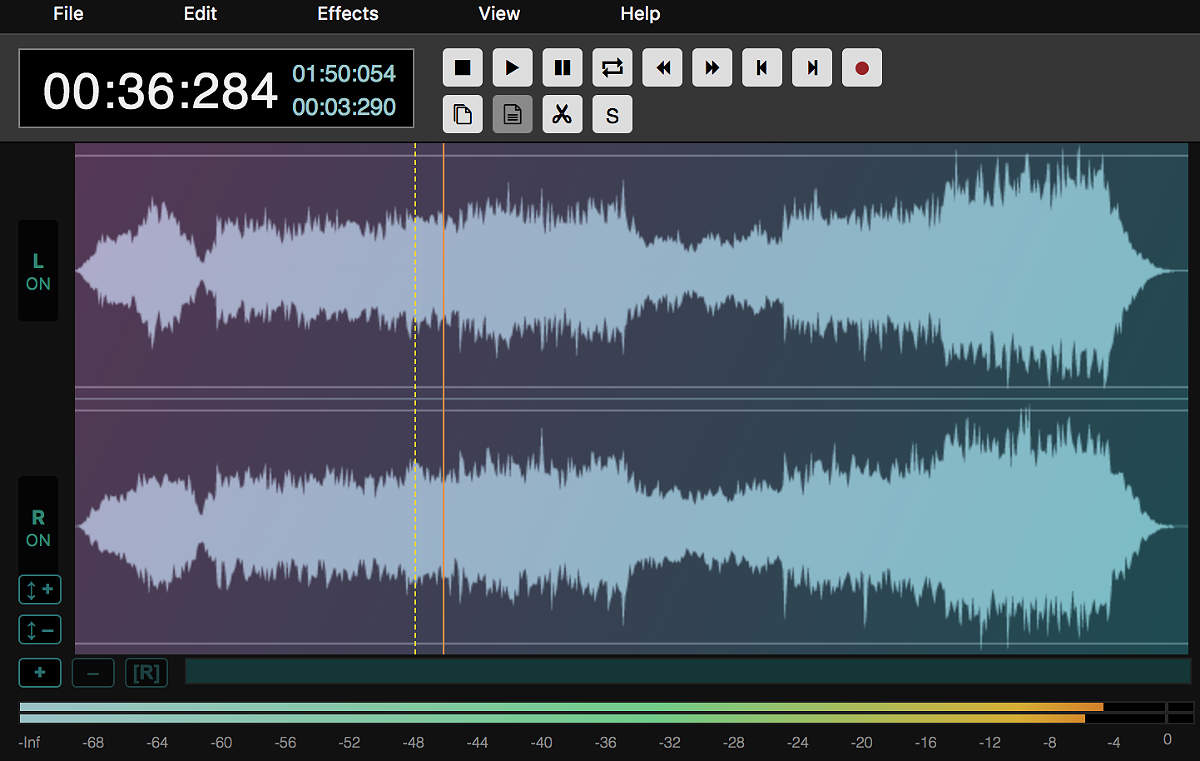
Editing a sound file usually means installing something. AudioMass does the whole job — trimming, fading, normalising, compression, reverb, pitch and speed — in a browser tab, with the audio never leaving your machine: it is read from local disk and processed by the Web Audio API on your own CPU. That matters for the obvious privacy reason, and for a less obvious practical one: there is no upload wait. Open a 40 MB WAV and you are editing it immediately, not watching a progress bar. It is free, open source, and has no account, no watermark and no export limit — a rare combination in audio tools, where the free tier usually stamps something on your output.
Best use cases
Cutting the dead air from the start and end of a podcast recording before sending it to an editor. Trimming a sample down to the bar you actually want. Normalising a batch of voice memos so they play at the same level. Doing a quick fix on a borrowed machine where you cannot install software — a school computer, a client's laptop, a friend's desktop. It is the tool for the ten-minute audio job that does not justify opening a full workstation.
Honest limitations
It is a single-track waveform editor, not a multitrack studio: you cannot layer a voice over music and mix them. There is no MIDI, no instrument, no plugin support. Very long files are limited by browser memory — an hour of uncompressed audio will strain a modest machine, and the tab can be killed by the operating system. And there is no autosave: close the tab without exporting and the edit is gone. Export early if the session matters.
Are you the maker of AudioMass? Claim this listing →
More in Music & Audio
ONRA is a free online player for listening to radio stations from around the world. You can quickly filter stations in the catalog by genre, country, and language, save favorites locally on your device, and listen without registering.
Library of 100,000+ MIDI files playable directly in your browser. Discover classic video game music, classical pieces, and pop songs rendered as MIDI. Completely free.
Lofi music streams with customizable animated environments. Study/work music with atmospheric visuals — rain, cafe, forest. Pure browser experience, no app download needed. Each stream is a continuous mix rather than a playlist, so nothing interrupts a working session between tracks.
Living sheet music synced to audio and video. Slow down recordings, loop sections, and follow along with interactive notation. Used by musicians to learn songs by ear.
A browser-based synthesizer inspired by the Casio PT-1. Retro keyboard sounds, waveform visualization, playable with your keyboard or mouse. Fun for quick musical sketches. Notes respond to the computer keyboard row by row, so a laptop becomes a playable instrument without any MIDI hardware.
Online music studio with synthesizer, effects, and recorder. Play a virtual keyboard, apply reverb/distortion/delay, and record your sessions. All in the browser. Effects chain in real time rather than on export, so you hear the reverb or delay while still playing.