PhotoCraft
In-depth reviewPhotoCraft is a free, open-source online photo editor for editing images and layered PSD files directly in your browser. It leverages a Rust engine compiled to WebAssembly for native-speed performance, offering features like layers, masks, and adjustments without requiring an account for local use.
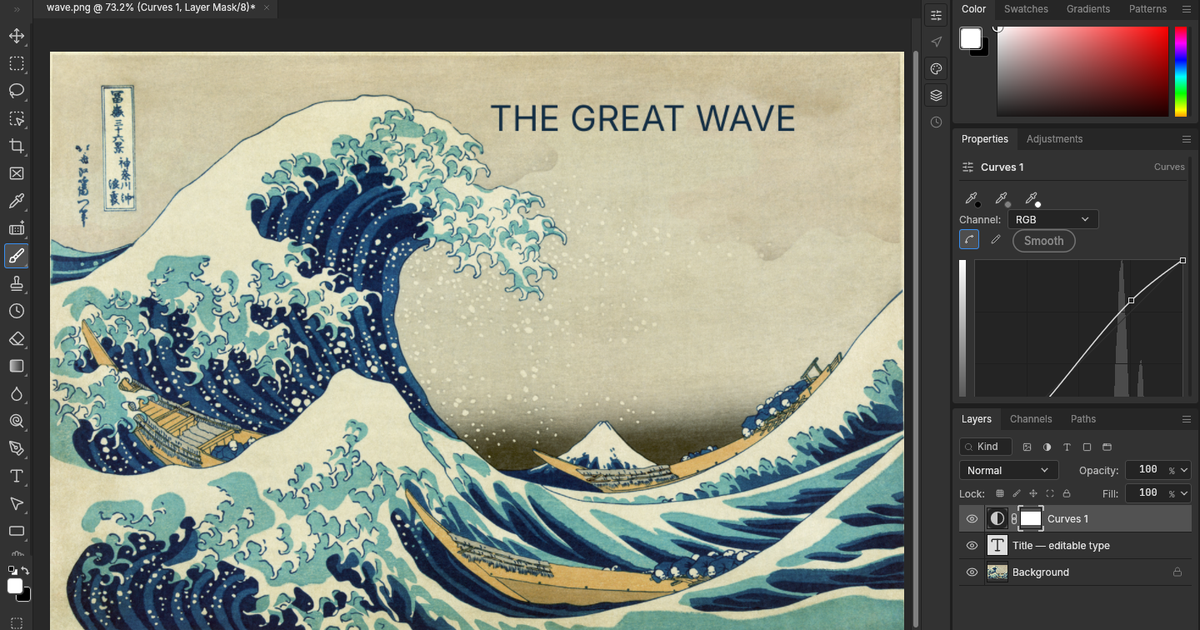
PhotoCraft, as it opens in a browser tab.
Not sure how to add PhotoCraft to your home screen? Step-by-step for Chrome, Safari, Firefox and Edge — it takes about ten seconds, and there is no app store involved.
Own PhotoCraft? Have us re-run this measurement — we open it in a real browser, wait for the service worker, and send you what it cached.
How to install PhotoCraft as a PWA
Screenshots
Why we recommend PhotoCraft
PhotoCraft earns a recommendation for delivering a feature-rich photo editing experience entirely within the browser. Its core engine, written in Rust and compiled to WebAssembly, enables 'native-speed' performance for operations like tiles, blending, and filters, without relying on plugins or server round-trips for local editing. Users can work with familiar tools including layers, groups, blending modes, pixel and vector masks, adjustment layers, type tools, and brushes. A significant capability is its ability to open and save layered PSD files, making it a powerful option for users accustomed to professional desktop editors who need an accessible online alternative.
Best use cases
Best for: Casual and professional users who need a powerful photo editor without installing software. It's ideal for editing images and layered PSD files directly in a web browser. Useful for graphic designers, photographers, and content creators who need to make adjustments, apply masks, or work with text and shapes. Its open-source nature also appeals to users seeking transparent and community-driven tools.
Honest limitations
PhotoCraft is not for users who require offline functionality, as it needs an internet connection. While local editing is free, optional features like cloud storage and AI-agent control are part of 'Pro and Team' subscriptions, making it not entirely free for all use cases. Performance and usable file sizes depend on device memory and browser capabilities. Compatibility with complex PSD documents may vary, so users are advised to check exports.
Are you the maker of PhotoCraft? Claim this listing →
Similar to PhotoCraft

ReWords AI allows users to edit and replace text directly within images online. It aims to match the original font, style, and background of the text being replaced. This tool is designed for updating text in flat image files like screenshots, posters, or packaging without needing original project files.
A free, open-source watermark remover for AI-generated images and short videos, targeting marks left by tools like Gemini, DALL-E, Midjourney, and Firefly. The removal model runs entirely in your browser, so nothing is uploaded and no account is needed, and it works offline.
A basic collage creator for arranging multiple photos into a single composite image in the browser. Aimed at anyone who wants a quick, lightweight way to combine pictures without installing desktop editing software; it focuses on simple collage layouts rather than advanced editing tools.

Blur faces, hide private details, and remove photo metadata directly in your browser. This free tool processes images locally, offering AI face detection without uploads, making it suitable for privacy-focused photo editing.

Full-featured photo editor in your browser — opens and saves PSD, XCF, Sketch files. Layers, masks, filters, blend modes. A genuinely free Photoshop replacement that needs no install.

Open-source file conversion with the processing done on your device — images, audio and documents convert locally via WebAssembly with no size limits, no ads and no tracking; only heavy video jobs use a server. Ships a standalone PWA manifest with a full icon set, installing as a genuinely private converter app.
Own a PWA? See the listing options — standard submission is free.