SilveOS
In-depth reviewSilveOS is a free, cross-platform web operating system that runs entirely in the browser. It provides a Windows-like desktop environment with a start menu, system settings, calculator, terminal, and rich text editor. Built as a progressive web app, it works on desktop and mobile without installation. Features include file management, theme and wallpaper customization, and support for running apps within the browser-based desktop interface.
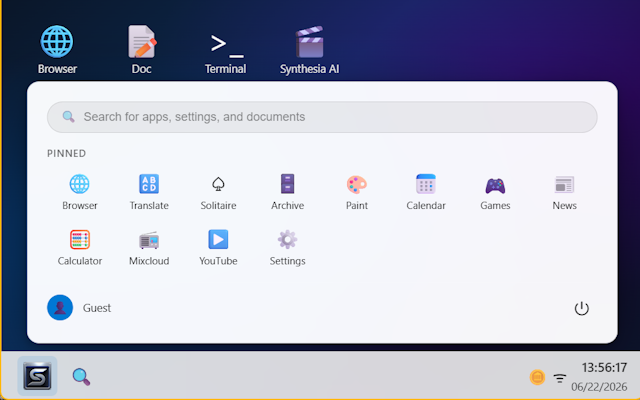
SilveOS, as it opens in a browser tab.
Not sure how to add SilveOS to your home screen? Step-by-step for Chrome, Safari, Firefox and Edge — it takes about ten seconds, and there is no app store involved.
Own SilveOS? Have us re-run this measurement — we open it in a real browser, cut the network, and send you what survived.
How to install SilveOS as a PWA
Screenshots
4 images · scroll →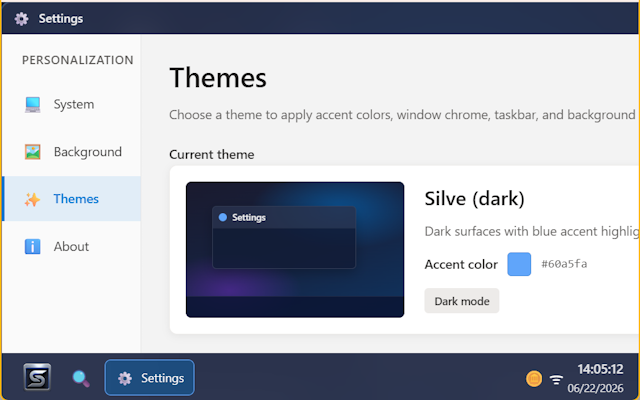
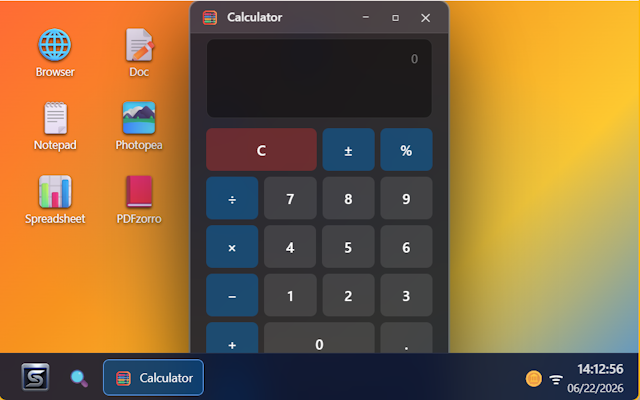
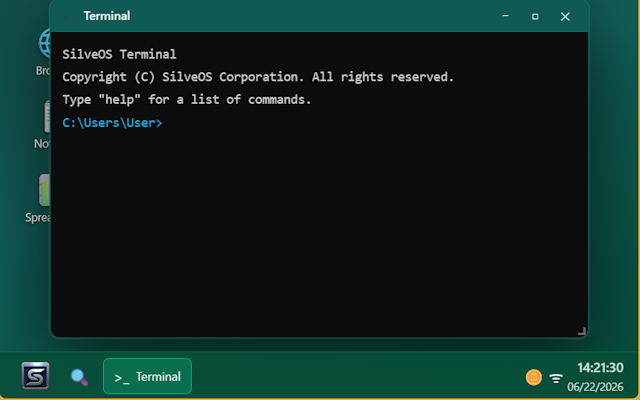
Why we recommend SilveOS
SilveOS delivers a complete desktop operating system experience without requiring any downloads or installations. The application demonstrates genuine progressive web app capabilities with a registered service worker, enabling it to function as a standalone desktop environment. Screenshots confirm it includes practical built-in applications: a calculator for quick computations, a terminal for command-line operations, a rich text editor for document creation, and comprehensive system settings for customization. The Windows-like interface makes it immediately familiar to most users, while the cross-platform nature means it works consistently across devices. The inclusion of file management, customizable themes, and wallpapers shows attention to creating a functional workspace. For AI enthusiasts specifically mentioned as a target audience, the platform provides a browser-accessible environment. Available as browser extensions for Chrome, Edge, and Firefox, it offers flexible installation options.
Best use cases
Best for users who need a consistent desktop environment accessible from any device without software installation. Ideal for working on shared or restricted computers where you cannot install traditional operating systems. Useful for students or professionals who want familiar desktop tools (calculator, text editor, terminal) available through any web browser. Suitable for testing lightweight desktop workflows or demonstrating operating system concepts in educational settings. Works well for users who frequently switch between devices and want their desktop environment to travel with them via the web.
Honest limitations
SilveOS is a browser-based simulation of a desktop environment, not a replacement for native operating systems with full hardware access and performance. While it includes basic applications like a calculator, terminal, and text editor, it cannot run traditional desktop software or provide the processing power of installed operating systems. The reliance on browser JavaScript means performance depends on your browser and device capabilities. Though marketed for AI enthusiasts, specific AI features are not detailed in the provided content. Users needing intensive computing, specialized software, or deep system-level access should use native operating systems.
Are you the maker of SilveOS? Claim this listing →
Similar to SilveOS

A calculator progressive web app that recreates the look and feel of the iOS calculator, usable on the web, Android, and iOS. Install it on any platform for a familiar Apple-style calculator experience. Handy for Android or desktop users who prefer the iPhone calculator layout.

A simple, tiny, and fast web app for scanning QR codes in the browser, using your camera or an uploaded image, with no app to install. Decoding happens locally so nothing is uploaded, it works offline, and it runs on iPhone, Android, and desktop.

A Progressive Web App for playing classic card games online with customizable decks. Players can upload personal images to create custom card designs using family photos, pets, or any imagery. Includes ten games: Cassino, Solitaire, Spider Solitaire, Spades, Hearts, Gin Rummy, Blackjack, Texas Hold'em, Pot Limit Omaha, and Concentration. Works across phone, tablet, and desktop without requiring app store downloads.
Pair two browsers with a QR code to move encrypted live text and one selected file between phone, laptop, tablet, or desktop. No login, no app install, no cloud drive — scan, open the link, and both sides share the same live text field.

A web app for storing and managing personal files in the cloud, in the vein of Google Drive or Dropbox. Users can upload files and organize them from the browser. Built with the Ionic framework, giving it a mobile-style interface that works across devices.

TrickyBird is a free web proxy that allows users to open blocked websites directly in their browser tab without installing any software or requiring an account. It fetches sites through its servers, keeping the destination domain out of the URL bar and offering private browsing in over 130 countries.
Own a PWA? See the listing options — standard submission is free.