Super Productivity
Advanced to-do & time tracker with Jira/GitHub integration. Full offline support, open-source, no cloud sync required. The power-user task manager built for developers. Time entries can be pushed back to the issue tracker, which turns tracking into billing rather than a second chore.
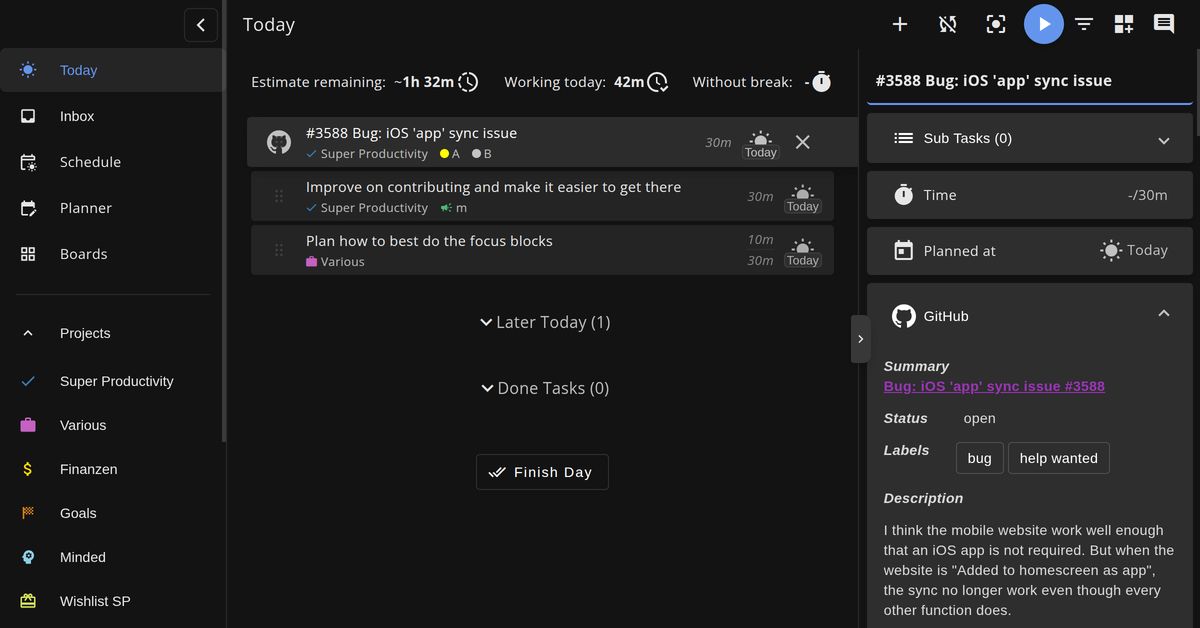
Super Productivity, as it opens in a browser tab.
Not sure how to add Super Productivity to your home screen? Step-by-step for Chrome, Safari, Firefox and Edge — it takes about ten seconds, and there is no app store involved.
Own Super Productivity? Have us re-run this measurement — we open it in a real browser, cut the network, and send you what survived.
How to install Super Productivity as a PWA
Screenshots
Are you the maker of Super Productivity? Claim this listing →
Similar to Super Productivity

Self-hosted WakaTime alternative — track your coding time by language, project, and editor. Open-source, GDPR-friendly, free for unlimited data. Know exactly where your dev time goes.

AI-powered workspace for tasks, mind maps, and real-time collaboration. Installs as a PWA with full offline support. Combines the best of Notion, Trello, and a task manager.

Simplify documentation and avoid heavy tools. Open source Visio Alternative. Commonly used for explaining your code! Mermaid is a simple markdown-like script language for generating charts from text via javascript.

Create beautiful screenshots of your code snippets. Customizable themes, backgrounds, and window decorations. Share code visually on social media — like Carbon.sh but installable. Syntax highlighting follows the language you pick rather than a screenshot, so the result stays legible when scaled down.

Fast, offline, and free documentation browser for developers. Search 100+ docs in one web app including HTML, CSS, JavaScript, PHP, Ruby, Python, Go, C, C++, and many more.

Open-source product analytics, session replay, feature flags, and A/B testing. Self-hostable alternative to Mixpanel/Amplitude — know how users really use your product. Session replays link to the events that triggered them, so a funnel drop can be watched rather than inferred.
Own a PWA? See the listing options — standard submission is free.