Tidal Stream Viewer
✓ VerifiedIn-depth reviewTidal Stream Viewer provides an interactive marine currents map, displaying SHOM NetCDF current data as arrows on a map. It times these against the tide of a reference port, utilizing data from api-maree.fr. This tool is designed for users interested in tidal stream information.
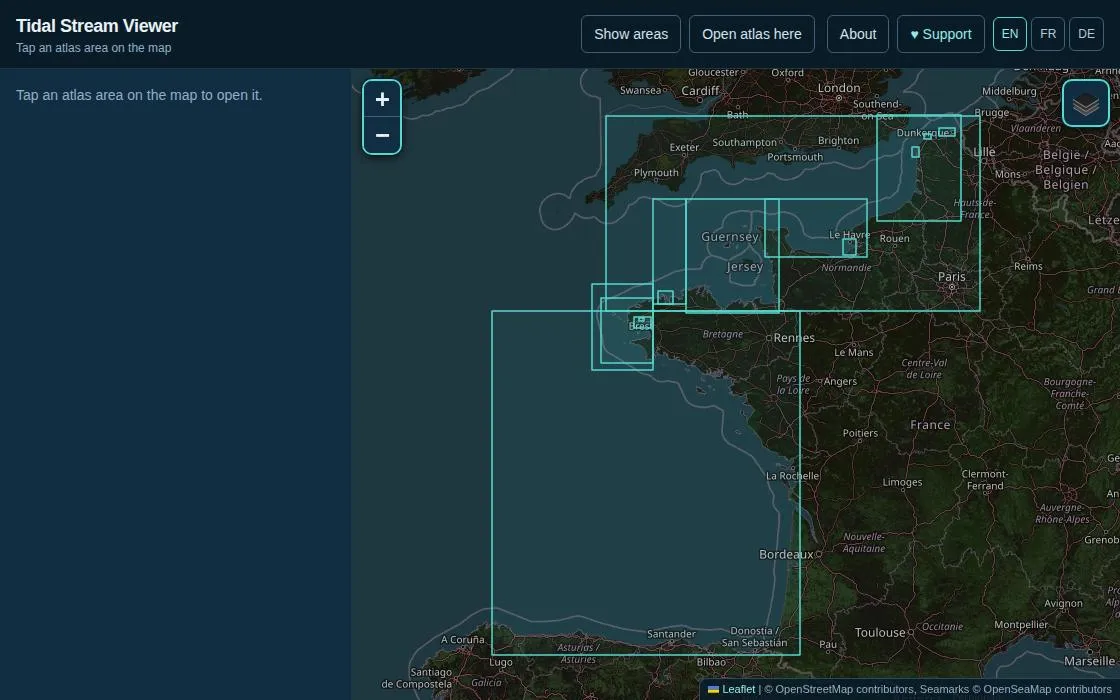
Tidal Stream Viewer, as it opens in a browser tab.
Not sure how to add Tidal Stream Viewer to your home screen? Step-by-step for Chrome, Safari, Firefox and Edge — it takes about ten seconds, and there is no app store involved.
Own Tidal Stream Viewer? Have us re-run this measurement — we open it in a real browser, wait for the service worker, and send you what it cached.
How to install Tidal Stream Viewer as a PWA
Why we recommend Tidal Stream Viewer
Tidal Stream Viewer offers a focused and practical utility for understanding marine currents. It visualizes SHOM's tidal stream atlases directly on a map, providing an interactive experience to see current speeds and directions. A key feature is its ability to align these currents with the tide of a reference port, using data from api-maree.fr. The application is built by Tommy Schmucker and is explicitly ad-free, relying on optional user support. It processes raw atlas files into a compact binary format for fast loading and linearly interpolates/extrapolates between published tide coefficients, making it a valuable resource for planning and situational awareness on the water.
Best use cases
Best for: Mariners and boaters who need to visualize tidal streams and understand their impact on navigation. It's ideal for planning routes where current knowledge is crucial, allowing users to see estimated speeds and directions tied to tide times. Useful for educational purposes to demonstrate tidal phenomena. Anyone interested in exploring marine current data published by SHOM in an accessible, interactive format.
Honest limitations
This application is not for navigation on its own; it must be used in addition to official charts and nautical publications. The displayed speeds and directions are derived estimates, not direct published SHOM values, due to data modifications and interpolation. Actual currents can differ from the atlas due to wind, weather, or river discharge. The service may be interrupted, and the author accepts no liability for decisions made based on its output.
Are you the maker of Tidal Stream Viewer? Claim this listing →
Similar to Tidal Stream Viewer

Fix-Pin is a simple application for saving, managing, and sharing GPS locations. It allows users to add notes to saved points and open them directly in Google Maps. Locations are stored locally on the device, with an option to export and import FXPN files. A collaboration between Shalx and OpenAI ChatGPT.

Gameoct is a gaming social media platform offering a community feed, game search engine, and an interactive map. It features gaming news, community posts, and tools for gamers interested in titles like GTA 6. The platform aims to connect players and provide relevant gaming information.
Sun Explorer is an interactive Progressive Web App that provides an interactive map to visualize sun and moon positions, shadows, twilight, and climate bars. It helps users understand celestial movements and their effects on different locations. The app is designed to be a utility for education and weather-related insights.

Convert JPG and PNG images to PDF format directly in your browser. This Progressive Web App processes files on-device, ensuring privacy by avoiding uploads. It offers features like merging multiple images, adjustable quality, and various page sizes for efficient document creation.

MangaTranslate is an AI-powered PWA for translating text within manga images. It recognizes characters, translates dialogue, removes original text, and places the translated text into reviewable images directly in your browser. Upload JPG, PNG, or WEBP images to start translating.

SilveOS is a free, cross-platform web operating system that runs entirely in the browser. It provides a Windows-like desktop environment with a start menu, system settings, calculator, terminal, and rich text editor. Built as a progressive web app, it works on desktop and mobile without installation. Features include file management, theme and wallpaper customization, and support for running apps within the browser-based desktop interface.
Own a PWA? See the listing options — standard submission is free.