ToolsPad
In-depth reviewToolsPad is a focused workspace designed for small-business operations and client work. It provides a dedicated environment to manage tasks and projects, helping small businesses streamline their day-to-day activities and client interactions. The application aims to provide a structured approach to work.
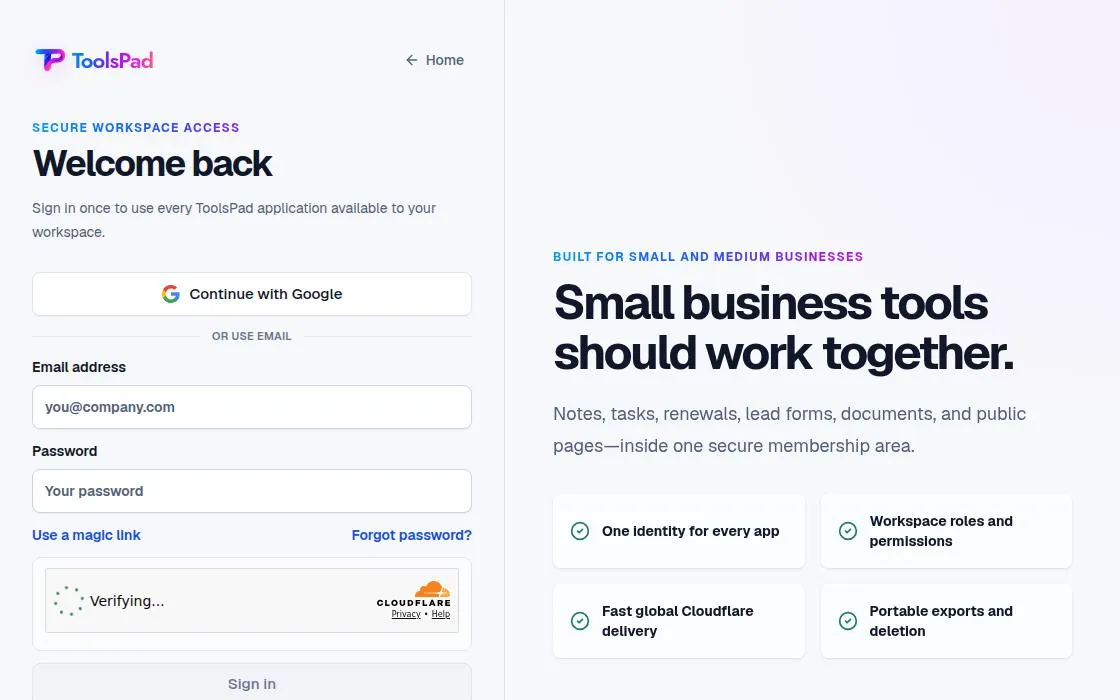
ToolsPad, as it opens in a browser tab.
Not sure how to add ToolsPad to your home screen? Step-by-step for Chrome, Safari, Firefox and Edge — it takes about ten seconds, and there is no app store involved.
Own ToolsPad? Have us re-run this measurement — we open it in a real browser, wait for the service worker, and send you what it cached.
How to install ToolsPad as a PWA
Why we recommend ToolsPad
ToolsPad distinguishes itself as a focused workspace, specifically targeting the needs of small businesses managing their operations and client work. The manifest indicates a clear starting point for 'time-tracking', suggesting this as a core functionality. Its standalone display mode and customizable theme colors contribute to an integrated app-like experience, potentially reducing distractions often found in browser tabs. The description highlights its utility for client work, suggesting features that aid in managing external projects and communications effectively. While a detailed feature list isn't present on the landing page, the 'focused workspace' concept implies a streamlined interface dedicated to core business functions.
Best use cases
Best for: Small business owners and freelancers who need a dedicated application to manage their daily operations and client projects. It's suitable for those seeking a structured environment for time tracking and project oversight, aiming to keep business activities separate from other digital distractions. Ideal for managing tasks related to client deliverables and internal business processes within a single, focused interface.
Honest limitations
ToolsPad is not suited for users seeking a broad suite of all-encompassing business software, as its focus is on a dedicated workspace for operations and client work, specifically starting with time tracking. The landing page content is minimal, which means specific advanced features beyond the core described are not detailed. Without service worker evidence, robust offline capabilities for continuous work are not confirmed.
Are you the maker of ToolsPad? Claim this listing →
Is ToolsPad yours? Add the “Listed on” badge
Optional, and it changes nothing about the listing. Paste it in your README or your site’s footer.

[](https://pwa.directory/directory/toolspad)
<a href="https://pwa.directory/directory/toolspad"><img src="https://pwa.directory/badge.svg" alt="Listed on pwa.directory" width="167" height="20"></a>
Prefer not to install it? ToolsPad on Web Apps Directory covers it as a web app you use straight in the browser.
Similar to ToolsPad

Lim is a comprehensive digital workspace offering an all-in-one ecosystem for productivity. It integrates mail, file storage, an AI assistant, calendar, notes, and team collaboration. With over 100 apps, including Docs, Maps, Chat, and Kanban boards, Lim provides a free interface for managing various tasks across multiple pages. It supports chats, notes, docs, sites, reports, and MCP links.

Agent Planners is an AI agent that plans and executes marketing strategies across 29 platforms, including Google Ads, Meta, and Google Analytics. It automates tasks, waiting for user approval before making any changes. Designed for marketing professionals, it clears to-do lists by managing campaigns and data.

Advanced to-do & time tracker with Jira/GitHub integration. Full offline support, open-source, no cloud sync required. The power-user task manager built for developers. Time entries can be pushed back to the issue tracker, which turns tracking into billing rather than a second chore.

The issue tracker built for high-performance software teams. Blazing fast keyboard-first interface, Git integration, and project roadmaps. The tool engineering teams actually enjoy using. Nearly every action has a keyboard shortcut, which is why teams describe it as faster than the tracker it replaced.

Open-source project management for agile teams. Scrum, Kanban, and issues — free forever, self-hostable. The Jira/Trello alternative that respects your data. Backlog, sprint board and issue tracker share one project, so nothing has to be mirrored between tools.

Billsprig is a free invoice generator that creates invoices, quotes, and receipts as PDFs in seconds. Designed for freelancers, tradespeople, and small shops, it offers real PDF downloads, 22 currencies, and per-line tax and discounts without sign-up or data upload.
You built it. Let’s get it found.
Submit it to the directory and reach developers and users looking for exactly this.
Standard submission is free →