Fabivo
In-depth reviewFabivo helps users design furniture from photos, text, or sketches. It optimizes panel cut lists for plywood, MDF, and melamine, and provides step-by-step assembly instructions. This tool supports furniture designers and DIY enthusiasts.
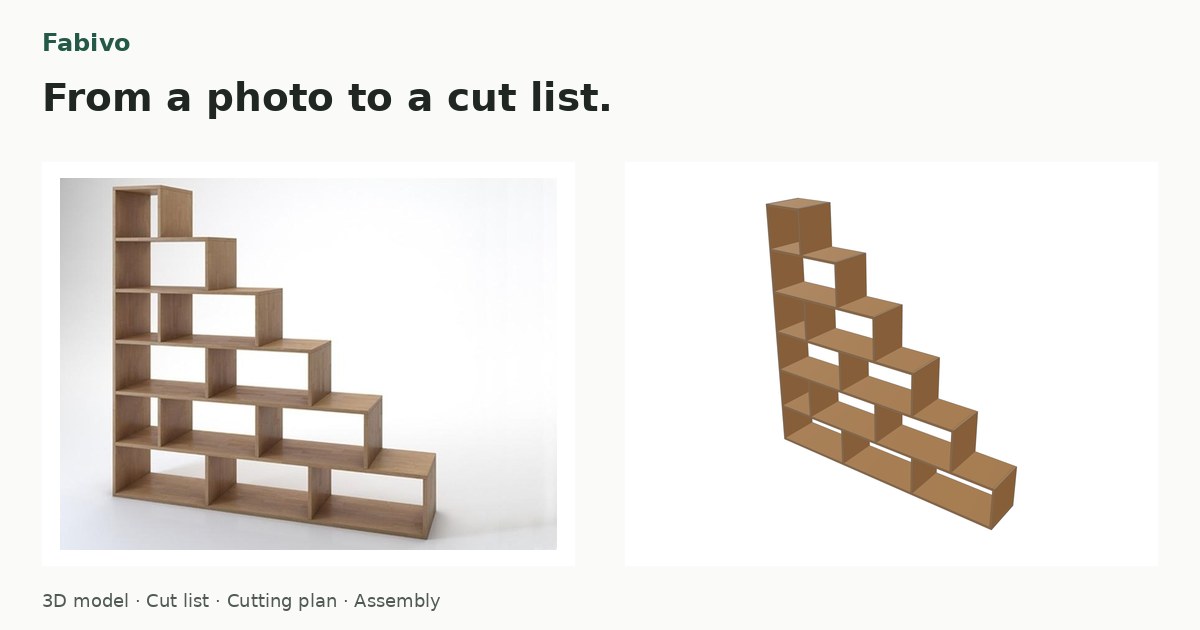
Fabivo, as it opens in a browser tab.
Not sure how to add Fabivo to your home screen? Step-by-step for Chrome, Safari, Firefox and Edge — it takes about ten seconds, and there is no app store involved.
Own Fabivo? Have us re-run this measurement — we open it in a real browser, wait for the service worker, and send you what it cached.
How to install Fabivo as a PWA
Screenshots
Why we recommend Fabivo
Fabivo stands out for its comprehensive approach to furniture design, offering AI assistance for generating models from photos or text, alongside traditional sketch-based design. Its core functionality includes parametric cabinet, table, and shelving design. Users can leverage its panel cutting optimization to efficiently plan cuts for materials like plywood, MDF, and melamine. The app provides detailed cut layouts, numbered cut orders, and step-by-step assembly instructions, making it a valuable tool for both experienced woodworkers and hobbyists. It supports exports in PDF, PNG, SVG, and CSV formats, enhancing its utility for workshop preparation.
Best use cases
Best for: individuals looking to design custom furniture from an initial idea, photo, or sketch. It's ideal for optimizing material usage for panel-based projects like cabinets, shelves, and tables. Perfect for DIY enthusiasts planning to cut and assemble furniture, as well as small workshops needing detailed cut lists and assembly guides. Also suitable for users who prefer working in English, Spanish, or Dutch.
Honest limitations
While the modeler and cutting tools operate offline, the AI assistant functionality requires an internet connection. Fabivo is primarily focused on panel-based furniture design and cut list optimization; it is not designed for complex architectural modeling or freeform 3D sculpting. It does not integrate with CNC machinery directly, focusing instead on producing printable workshop reports.
Are you the maker of Fabivo? Claim this listing →
Is Fabivo yours? Add the “Listed on” badge
Optional, and it changes nothing about the listing. Paste it in your README or your site’s footer.

[](https://pwa.directory/directory/fabivo)
<a href="https://pwa.directory/directory/fabivo"><img src="https://pwa.directory/badge.svg" alt="Listed on pwa.directory" width="167" height="20"></a>
Similar to Fabivo
Wallpaper Maker AI allows users to create unique AI-generated wallpapers. You can generate wallpapers from a text prompt or by uploading a photo. The platform focuses on quick creation, enabling downloads in seconds for various devices, including PC and lock screens.

GridBulk is an AI batch image generation tool designed for creating up to 16 images from a single prompt. It features grid splitting, allowing users to generate and automatically split high-resolution grid images into individual assets. Ideal for ad variants, mockups, and social media content creation.

Seamlessify offers free browser tools for repeating images, blending visible seams, and exporting PNG, JPG, or batch ZIP files. It helps designers, artists, and content creators easily create tileable patterns without complex software. Optional AI generation is available.

SVGcode is a Progressive Web App designed to convert raster images like JPG, PNG, GIF, WebP, and AVIF into SVG vector graphics. It provides a straightforward solution for users needing to vectorize images for various design and development needs, supporting a wide range of input formats.

Typometer helps designers and developers compose typographic scales using CSS tokens. It provides a structured approach to defining font sizes and line heights for consistent web typography, offering tools to establish a visual hierarchy across projects.

Color Pal helps users find color palettes and schemes for design projects. It provides a straightforward tool to explore and select color combinations. The app focuses on accessibility through its web-based interface, making it suitable for designers and creatives seeking visual inspiration and practical color solutions.
You built it. Let’s get it found.
Submit it to the directory and reach developers and users looking for exactly this.
Standard submission is free →