FaceSwapAI
In-depth reviewFaceSwapAI is a browser-based AI tool for swapping faces in photos, group photos, videos, and GIFs. It offers HD output with no watermarks, alongside AI image editing, upscaling, and other AI-powered features for a wide audience.
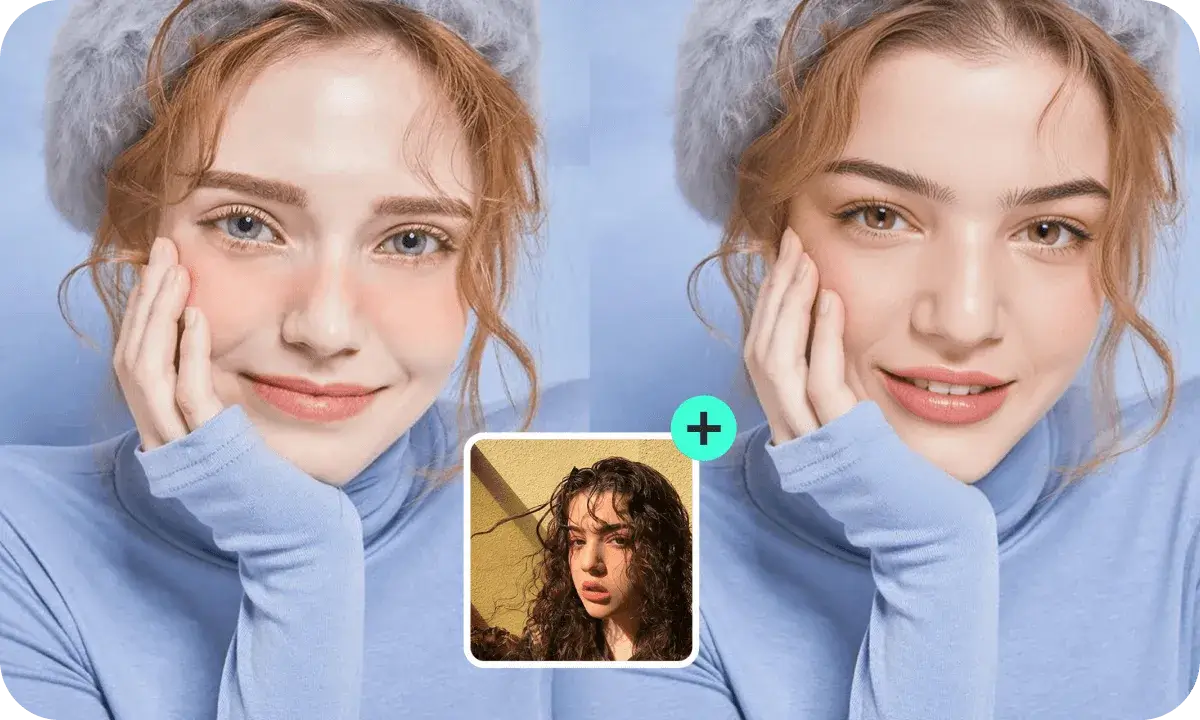
FaceSwapAI, as it opens in a browser tab.
Not sure how to add FaceSwapAI to your home screen? Step-by-step for Chrome, Safari, Firefox and Edge — it takes about ten seconds, and there is no app store involved.
Own FaceSwapAI? Have us re-run this measurement — we open it in a real browser, wait for the service worker, and send you what it cached.
How to install FaceSwapAI as a PWA
Screenshots
Why we recommend FaceSwapAI
FaceSwapAI earns a recommendation for its comprehensive AI face-swapping capabilities across various media types including photos, group photos, videos, and GIFs, as explicitly stated on its landing page. The platform highlights HD output and the absence of watermarks, which are significant advantages for users. Beyond face swapping, it provides additional AI-powered features like image editing and 4x image upscaling. The site offers a variety of language options, indicating a focus on a global user base. It also features shortcuts for 'Image Swap' and 'Video Swap', streamlining user access to core functionalities.
Best use cases
Best for: Casual users, social media creators, and meme-makers looking to swap faces in photos, videos, or GIFs. It's also suitable for hobbyists interested in AI-powered image editing, including upscaling and generating AI backgrounds. Specific uses include creating humorous content, anonymizing faces in videos, or improving image resolution with its upscaling feature.
Honest limitations
FaceSwapAI is not a live-camera or FaceTime application; it's designed for browser-based AI image and video processing. The service operates on a credit-based model, meaning usage is not entirely free and requires purchasing credits to access its full range of features. While powerful for its intended use, it does not offer real-time face-swapping during video calls or live streams.
Are you the maker of FaceSwapAI? Claim this listing →
Is FaceSwapAI yours? Add the “Listed on” badge
Optional, and it changes nothing about the listing. Paste it in your README or your site’s footer.

[](https://pwa.directory/directory/faceswapai)
<a href="https://pwa.directory/directory/faceswapai"><img src="https://pwa.directory/badge.svg" alt="Listed on pwa.directory" width="167" height="20"></a>
Similar to FaceSwapAI

Imgkits is an AI-powered platform for online image and video processing. It provides tools for generating, editing, enhancing, and restoring visuals. Users can generate images from text, remove backgrounds, enhance photo clarity, and upscale images. It's designed for teams and creators, offering a range of AI tools to transform visual content.

DropGIF is a free online GIF maker for videos and photos. It allows users to create GIFs without watermarks or sign-ups, with all processing occurring on the device. It supports various video and image formats, offers editing tools, and provides templates for quick GIF creation.

Bimg AI is an all-in-one AI creative platform for image editing and AI video generation. It supports AI image upscaling, background removal, old photo restoration, and unblurring. The platform also features multiple AI models for image generation and editing, alongside various AI video creation tools.
Chrom8 provides instant cinematic photo grading, allowing users to adjust the vibe of their images. It functions as a tool for quick photo enhancement, focusing on visual style. The application helps users achieve desired aesthetic effects with a simple interface, as indicated by its description.

ViNano AI is an advanced AI-powered platform for image and video creation. It offers tools for editing photos with natural language, generating images from text, and turning images into short videos. Aimed at creators and professionals, it provides 4K HD output and watermark-free downloads.
MINILAB is a digital tool designed for photographers interested in replicating the analog photo process. It offers features such as grain, film look, halation, paper, and scanner effects. The app aims to bring the entire analog workflow into a digital environment, allowing users to process their images with a classic aesthetic.
Own a PWA? See the listing options — standard submission is free.