Vectorize Image
In-depth reviewVectorize Image converts PNG, JPG, and WEBP files into SVG, EPS, PDF, AI, DXF, or G-code. Users can upload images, review a watermarked preview, and pay credits for clean vector downloads suitable for web, print, and cutting machines. It offers a browser-based solution for converting raster images to scalable vector formats.
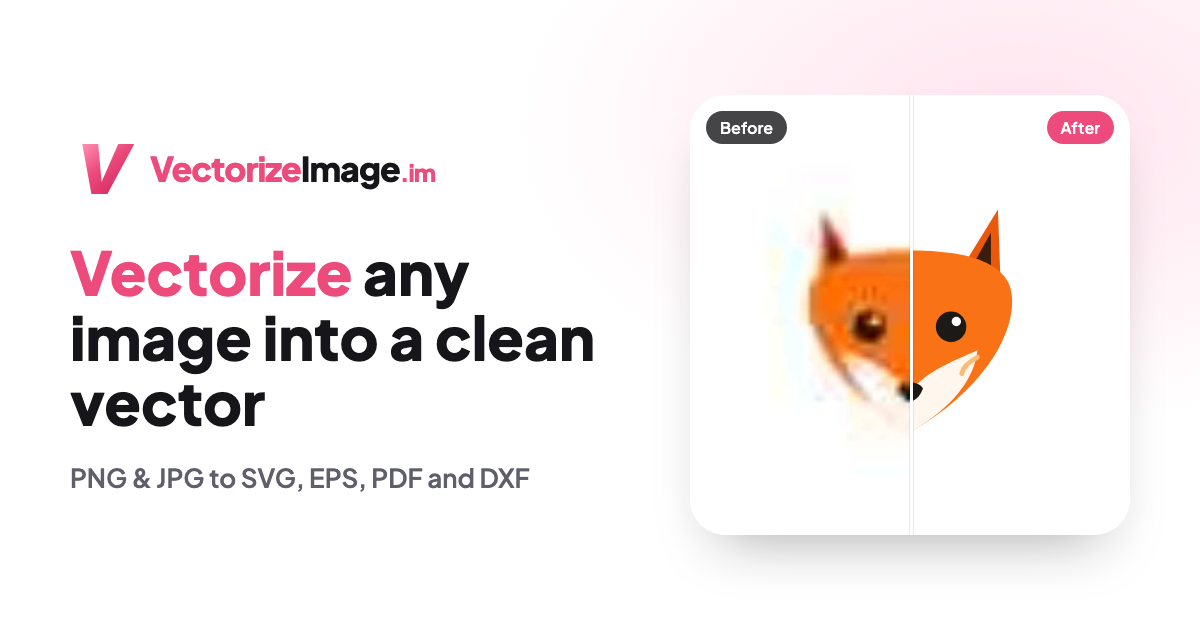
Vectorize Image, as it opens in a browser tab.
Not sure how to add Vectorize Image to your home screen? Step-by-step for Chrome, Safari, Firefox and Edge — it takes about ten seconds, and there is no app store involved.
Own Vectorize Image? Have us re-run this measurement — we open it in a real browser, wait for the service worker, and send you what it cached.
How to install Vectorize Image as a PWA
Screenshots
Why we recommend Vectorize Image
Vectorize Image provides a streamlined process for converting raster images like PNGs, JPGs, and WEBPs into various vector formats. It supports outputs such as SVG for websites and cutting machines (like Cricut Design Space and Silhouette Studio), EPS, PDF, or AI for print, and DXF or G-code for laser and CNC applications. The platform emphasizes a 'pay only when you download' model, allowing users to check a watermarked trial preview before committing credits. This transparency, combined with its browser-based access and ability to convert logos, line art, icons, and lettering faithfully, makes it a practical tool for designers and crafters.
Best use cases
Best for: Designers needing to convert raster logos or line art into scalable vector formats for branding or print. Crafters looking to prepare PNGs, JPGs, or WEBPs for cutting machines as SVG files. Developers seeking to convert bitmap images to vector for web optimization. Users wanting to transform scanned drawings or simple photographs into poster-like illustrations for various projects.
Honest limitations
Vectorize Image is not free; watermarked previews are free, but clean downloads cost 10 credits per image, with starter packs beginning at $6.99 for 250 credits. It is not designed for converting complex photographic images into photo-realistic vectors; the output will be a poster-like illustration. As a web application, it requires an internet connection for use. It is not an alternative to professional desktop design software like Illustrator for manual vector tracing.
Are you the maker of Vectorize Image? Claim this listing →
Similar to Vectorize Image

ReWords AI allows users to edit and replace text directly within images online. It aims to match the original font, style, and background of the text being replaced. This tool is designed for updating text in flat image files like screenshots, posters, or packaging without needing original project files.

GifGlide is a web-based video to GIF converter, enabling users to create lightweight GIFs from MP4, MOV, and AVI video files. It offers options to trim videos, adjust FPS, quality, and dimensions, catering to both free and premium users seeking efficient GIF creation.
PhotoCraft is a free, open-source online photo editor for editing images and layered PSD files directly in your browser. It leverages a Rust engine compiled to WebAssembly for native-speed performance, offering features like layers, masks, and adjustments without requiring an account for local use.

Quick Image Converter is a professional online tool for converting images between over 15 formats like JPG, PNG, WebP, HEIC, and AVIF. It offers batch processing, compression, and quality control, supporting quick conversion and download without registration. Optimized for various browsers and devices, it provides a fast and free solution for image transformation.

The AI Anime Generator creates custom anime art from text descriptions or photos. Users can generate portraits, characters, and scenes in various styles like chibi, waifu, retro, and fantasy. It offers prompt inspiration and tools for diverse anime creations.
BeadPattern is an AI bead pattern generator that converts text prompts and photos into printable Perler, Hama, and fuse bead patterns. It provides color codes, bead counts, and editable grids, making it suitable for DIY crafters and pixel artists creating custom bead art designs.
Own a PWA? See the listing options — standard submission is free.